
Reports · Arabic
How Gigoo Restaurant handles reports and Arabic
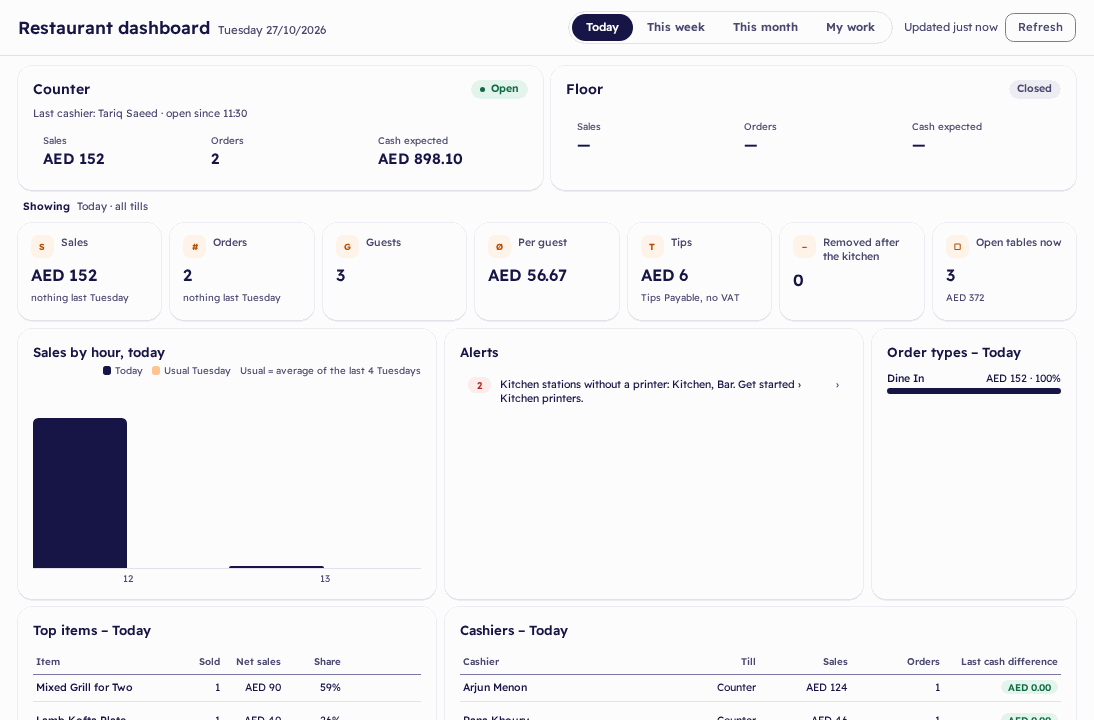
A restaurant dashboard shows the tills now, sales, guests, tips and open tables. Four restaurant reports open their orders, in Excel and print, and every screen is in English and Arabic.
What Gigoo does for you
- The dashboard shows the tills now, sales, orders, guests, per guest, tips, items removed after the kitchen, open tables and alerts. Sales are shown without tips.
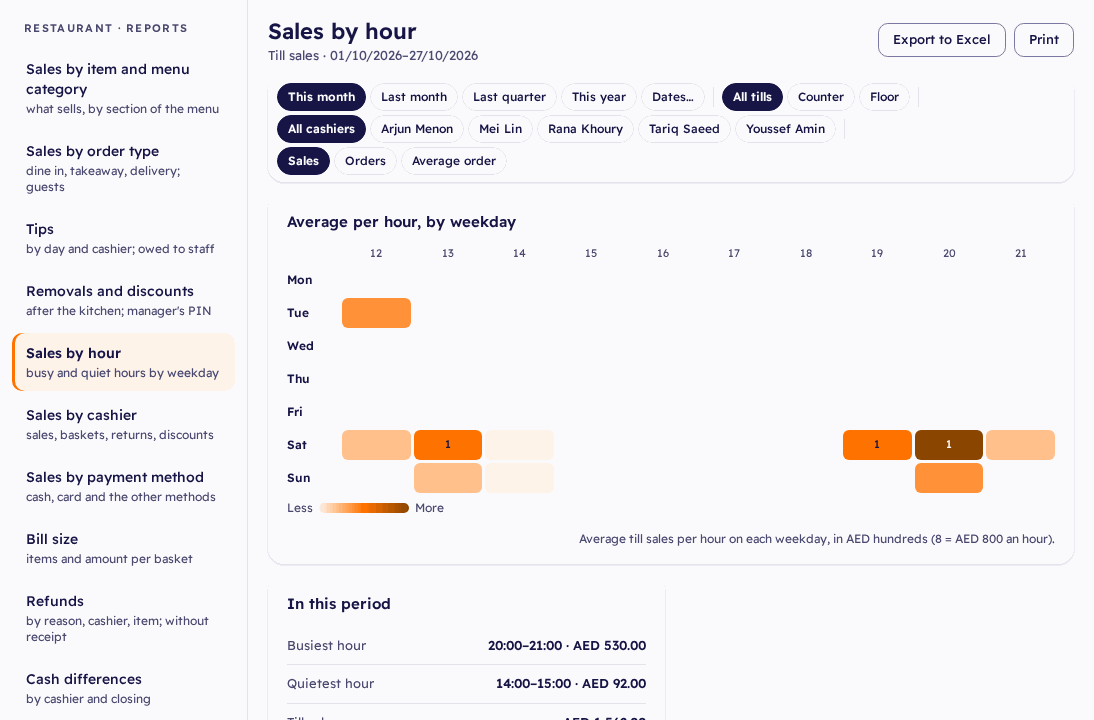
- Four restaurant reports: sales by item and menu category, by order type, tips, and removals and discounts. Then the till reports: sales by hour, by cashier and by payment method, bill size, refunds, cash differences, loyalty and gift cards.
- Every row opens its orders. Export to Excel or print.
- Every screen in English and Arabic: the till, the back office, the guests' pages and the receipts.
The restaurant dashboard
Alerts show kitchen stations without a printer, tables open more than 90 minutes and orders with a discount above the limit.
What you get
GuestsAt dine-in tables; takeaway and delivery are not counted as guests
Per guestNet sales at dine-in tables divided by their guests
Tips reportBy day and cashier, by card and in cash, still owed to staff, paid out
Questions
Who sees the restaurant reports?
The Owner, Operations, Accounts and the Restaurant Manager.
Are tips counted as sales?
No. Sales are shown without tips, and tips and gift cards are not sales in the reports.
Is the guests' QR menu in Arabic too?
Yes. The guests' pages are in English and Arabic, right to left in Arabic.