
Gigoo Help · Gigoo Restaurant
Your tables, kitchen and books in one app.
The floor plan with your tables, tickets by kitchen station, QR ordering from the table, tips outside VAT and the Z report at closing, in English and Arabic. See it here on the real screens of a demo restaurant.
14 days free. Your sign-up answers set up the tills, cashiers and waiters, kitchen stations, tables and QR ordering.
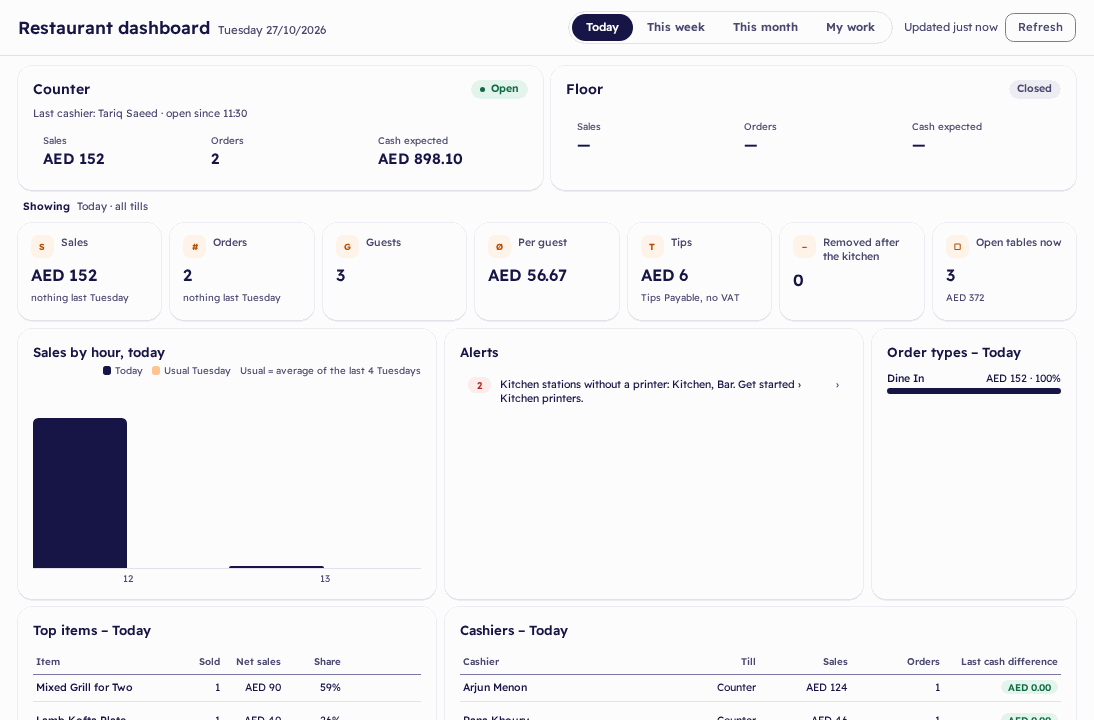
The restaurant dashboard of a demo restaurant
Topics
How Gigoo handles the work of a UAE restaurant
Each topic shows what you do, what Gigoo does for you and what you get, on a demo restaurant with made-up data.
Your tables and the kitchen
The floor plan at a glance, orders to the kitchen by station, and the bill split your way.
See howQR ordering from the table
Guests order from their phone; staff check the order and send it to the kitchen.
See howStaff, PINs and the manager's PIN
Each person signs in with a PIN; the manager approves big discounts and removals.
See howPayment at the till
The bill, tips, gift cards and the receipt in English and Arabic, even when the internet drops.
See howClosing the till and the Z report
A cash count, the restaurant's Z report, and the day in the books with VAT.
See howGetting started: your menu from Excel
Your sign-up answers set up the restaurant; your menu comes in from one Excel file.
See howReports and Arabic
The restaurant dashboard, four restaurant reports, and every screen in English and Arabic.
See how
Walkthrough
Watch a table served on the real till
No video to load: the real screens, the button outlined and the value typed in. Play it, or step through at your own pace.
What Gigoo Restaurant clients get
Help for every screen, inside Gigoo
- Every screen explainedWhat each field and button does, the rules, and who may change what.
- WalkthroughsStep by step on the real till and screens, for the jobs you do most.
- For your roleOwner, Restaurant Manager, Operations, Accounts or Sales: you see what your role does.
- Help for this screenOne click from any screen in Gigoo opens its page here.
Try it
Real cases and walkthroughs
Real cases, from start to end
A table for four with a split bill and a tip, a QR order from the table, and closing the day: each one step by step, with every number recorded on the demo restaurant.
See the worked examplesTry the jobs you do every day
Serve a table, take a QR order to the kitchen, and close the till with its Z report.
See the walkthroughs
Try Gigoo Restaurant free for 14 days.
Your sign-up answers set up the tills, cashiers and waiters, kitchen stations, tables and QR ordering.